How to Use the Google Ads ROI Calculator
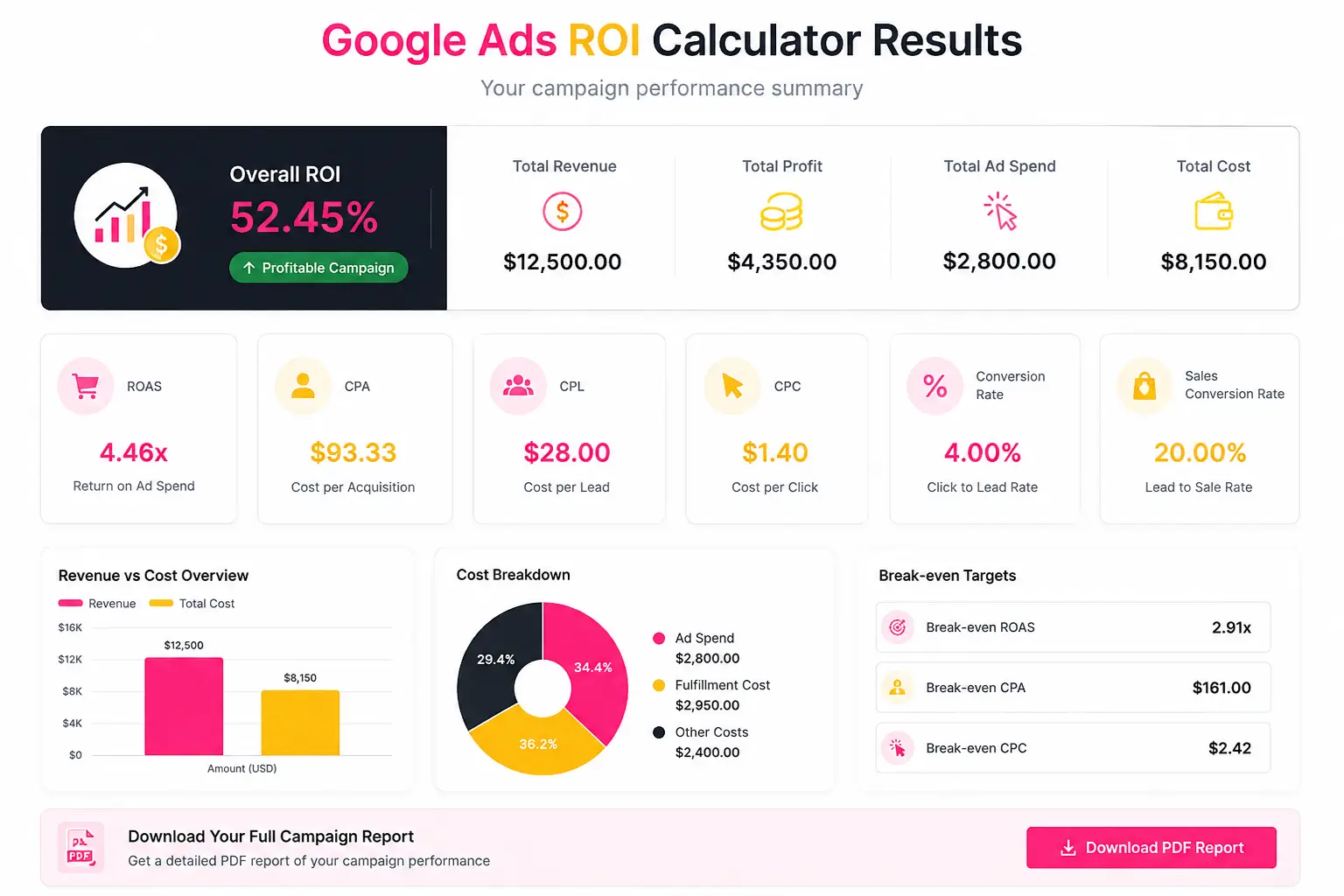
Enter your total Google Ads spend, clicks, leads, completed sales, average order value, fulfilment cost and any additional campaign expenses. The results update automatically as you enter your figures. You can review your campaign profitability, identify your break-even targets and download the results as a PDF report.
What This Google Ads ROI Calculator Measures
Return on Investment
ROI shows the percentage of profit generated after accounting for advertising, fulfilment and other campaign costs. A positive ROI means the campaign generated more profit than its total cost.
Return on Ad Spend
ROAS measures how much revenue your campaign generated for every amount spent directly on advertising. For example, a 3.00x ROAS means that every $1 of ad spend generated $3 in revenue.
Cost per Acquisition
CPA shows how much advertising spend was required to generate one paying customer. Compare your CPA with the profit produced by an average customer to determine whether the campaign is sustainable.
Cost per Lead and Cost per Click
CPL measures the cost of generating one enquiry or lead, while CPC shows the average amount paid for each advertisement click. These metrics help identify problems between traffic generation, lead generation and sales conversion.
Break-Even Targets
Break-even results show the maximum CPA and CPC your campaign can support before profit reaches zero. They can also help you establish a minimum profitable ROAS target. Learn more about how Target ROAS bidding works in Google Ads.
Google Ads ROI Formula
ROI = Net Profit ÷ Total Campaign Cost × 100
Net Profit = Revenue − Advertising Spend − Fulfilment Costs − Other Campaign Costs
ROAS = Revenue ÷ Advertising Spend
CPA = Advertising Spend ÷ Number of Sales
CPL = Advertising Spend ÷ Number of Leads
CPC = Advertising Spend ÷ Number of Clicks
Google Ads ROI Calculation Example
Suppose you spend $1,000 on Google Ads and receive 500 clicks, 50 leads and 10 sales. If the average order value is $300 and the fulfilment cost is $100 per sale, your total revenue is $3,000.
Your total cost would be $2,000: $1,000 in advertising spend and $1,000 in fulfilment costs. This produces $1,000 in net profit, a 50% ROI and a 3.00x ROAS. Your CPA would be $100, CPL would be $20 and CPC would be $2.
How to Interpret Your Results
Do not evaluate ROAS without considering fulfilment costs, agency fees, software expenses, refunds and profit margins. A campaign can have a high ROAS while producing little or no actual profit. Use ROI and break-even metrics alongside ROAS to understand the campaign’s true financial performance.
Need expert support beyond the calculator? Explore our Google Ads management services to improve campaign performance, or request a free Google Ads audit to identify wasted spend and growth opportunities. You can also explore our free digital marketing calculators for more helpful marketing tools.